
Item Master & Pricing
One item master, used everywhere.
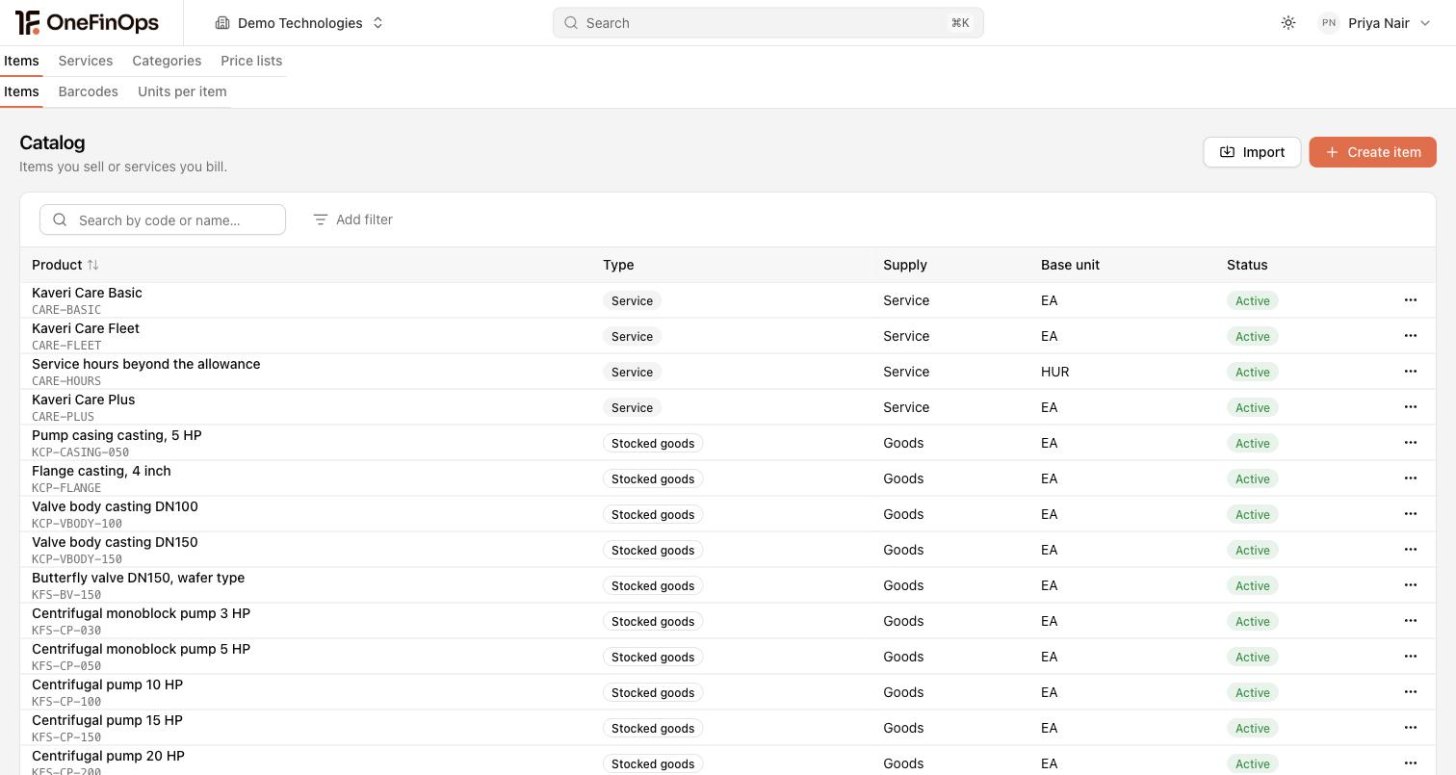
Items, SKUs and price lists on one master. AR, AP, procurement, inventory and the books all post against it, with the right tax behaviour per item type.
Trusted by operations teams
Items & SKUs
One SKU. The right tax and GL by type.
Items defined once with internal SKU, vendor SKU and lifecycle status. Goods, services and fixed assets each behave correctly for tax and for the ledger. The same master serves AR, AP, procurement, inventory and the books.
Units of Measure
Order in cartons. Invoice in pieces. Post in kilograms.
Primary, secondary and conversion factors per item. The PO uses one unit, the customer invoice another, the books a third. Conversion runs automatically, and the audit trail captures the unit at every transaction.
Item Groups & Categories
Hierarchical groups. Bulk edits roll down. Reports roll up.
Item groups in a hierarchy: category, sub-category, item. Bulk edits at the group level roll down to every item under it. Reports roll up to any level. Approval routing rules can target a group.
Price Lists & Discount Engine
Price lists that pick themselves at the line.
Customer, region, channel, currency, date and quantity-tier dimensions. The right rate selects automatically at quote, sales order and invoice time. Date-effective overrides for promotions, with an audit trail per change.
Customer-Specific Pricing
Customer overrides without the spreadsheet sprawl.
Per-customer rate overrides sit on top of the master price list. Overrides are approval-routed, rationale captured, expiry-date enforced. The strategic-customer rate sheet that lived on someone's desktop now lives in the system.
Bulk Import & ERP Sync
CSV in. ERP synced. E-commerce in step.
CSV and Excel bulk import with line-level validation. Bidirectional sync with Xero, QuickBooks, SAP B1 and NetSuite. E-commerce and POS integrations keep the catalog in step. The master is one, every system follows it.
Kits, Bundles & BOM
Bundle, kit or BOM. The right model per item.
Bundles for sales packaging (sell as one, ship as components). Kits for substitutable assemblies. BOM for light manufacturing consumption. Each model captures component cost roll-up, tax treatment and stock movement correctly.
Buyer FAQ
What teams ask before they switch.
We sell goods, services and fixed assets. Does that work?
Yes. Item types are first-class with the right tax and GL behaviour per type. Fixed assets link to the asset register and the depreciation schedule. The same master serves AR, AP, procurement, inventory and the books.
Can we have customer-specific pricing on top of a master price list?
Yes. Customer overrides sit on top of regional or channel base lists. Multi-currency price lists are first-class, with the rate at the transaction date or a pinned rate where treasury policy requires it. Date-effective overrides handle promotions without breaking the audit trail.
Does it support kits, bundles and BOM-style assembly?
Yes. Bundles with component rollup, kit items with optional substitution, and simple BOM for light manufacturing. For heavy manufacturing with multi-stage routing, the BOM stays in your MRP system and the finished goods post to OneFinOps.
We run entities across the region on one catalog. Does that work?
Yes. One item master serves every entity, with price lists per currency, region and channel on top of it. Each entity applies its own tax rules to the same SKU, so a product sold from the US and from another entity does not need two records.
How are goods classified for customs and trade?
Goods carry their HS code on the item record, so the classification travels with the item into invoices, shipping documents and reports rather than being re-derived per shipment. Reviewer approval locks a classification, and the audit trail captures the choice.
Multi-currency price lists. Which rate is used?
The price list rate stored in the foreign currency is the base. Conversion uses the rate at the transaction date by default, and pinned forward rates are supported for groups with treasury hedging policies. The audit trail keeps both the rate and the conversion.
Bring 50 items. See the classification, the price list and the tax rate on screen.
Connect one entity, free. Upload 50 SKUs from your existing system. The classification runs, the price list applies, and the tax is right at the line. Compare it to your current master.
Comparing alternatives?