
Skip to content

Expenses

Expense management software. From receipt to reimbursement, on policy.

Phone photos with OCR that reads the receipt and the tax on it. Policy enforced at submission, not argued about at approval. Corporate cards auto-reconciled, input tax tagged where it can be claimed.

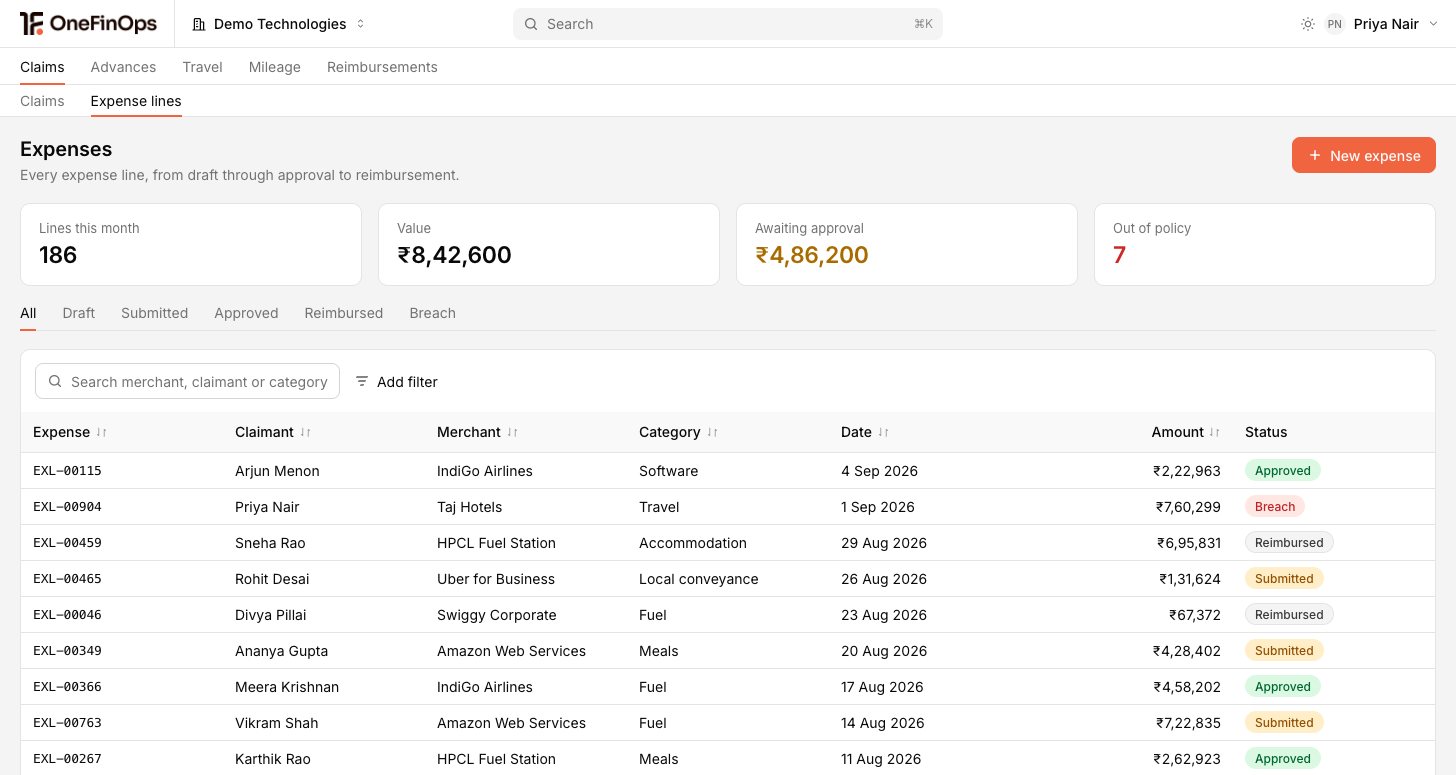
Expense claims, corporate cards and receipts on one record

Trusted by finance teams

  • PathoGenie
  • Sharada Agro Industries
  • SRF Capital
  • Absolute Labs
  • CultSet
  • Lead with Tribe
  • GehnaERP
  • Beacon
  • Praval
  • EverUptime

Mobile Receipt Capture

Phone photo to submitted expense in 30 seconds.

Photograph the receipt. OCR reads merchant, amount, date and the tax on it. Category suggested from the merchant. The policy check runs before submission, so the employee submits a complete expense rather than a draft someone has to chase.

Mobile Receipt Capture screenshot

Policy Engine

Policy enforced at submission, not at approval.

Per-category, per-employee-level and per-trip-purpose limits enforced on the expense form itself. Over-limit needs a justification and a higher-tier approver. The AP team reviews compliant expenses; the policy stops the rest before it reaches them.

Policy Engine screenshot

Corporate Card Reconciliation

Card statement reconciled monthly. Not at year-end.

Card transactions auto-match against employee-submitted expenses. Mismatches surface for follow-up while people still remember the purchase. The card statement reconciles to the books every month rather than becoming a year-end project.

Corporate Card Reconciliation screenshot

Mileage Tracking

GPS trips, logged and rated.

Trips start and end from the mobile app. GPS captures the route; the employee reviews and submits. The rate per kilometre applies per company policy, and the claim carries its evidence rather than an estimate typed from memory.

Mileage Tracking screenshot

Expense Approvals

Approvals that route themselves.

Rules by amount, project, cost-centre and employee level. Slack for the manager, email for the controller, mobile for the CFO who is travelling. Out-of-office auto-escalation, one-tap approve, full audit trail. Travel-week claims do not sit in an inbox.

Expense Approvals screenshot

Travel Expense Reports

One trip, one report.

A trip created at the outset captures purpose, dates, cities and project, and every expense on it groups automatically. Reimbursement settles against the trip advance. The CFO sees trip cost against budget, not a pile of loose receipts.

Travel Expense Reports screenshot

Petty Cash Management

Petty cash that reconciles. Office by office.

A float per office. Daily expenses logged with a receipt and a running balance. Replenishment requested when the threshold hits. Monthly reconciliation closes the loop with an audit trail behind it.

Petty Cash Management screenshot

Virtual & Corporate Cards

Cards issued in minutes.

Virtual and physical cards with per-employee limits, per-category limits and merchant-category blocks. Cards cancel automatically on leave or termination. Spend reconciles against expenses live rather than at month end.

Virtual & Corporate Cards screenshot

Travel Advance & Settlement

Travel advance, settled on return.

An advance issued before the trip posts as a receivable on the employee. Expenses logged during the trip settle against it on return, and the net payable or receivable is computed for you. Outstanding advances surface on the ageing rather than going quiet.

Travel Advance & Settlement screenshot

Buyer FAQ

What teams ask before they switch.

Which corporate cards are supported?

Cards are supported through direct feeds where the issuer offers them, and through standardised statement upload (CSV or Excel) everywhere else. CSV upload is the universal fallback, so no card is a blocker.

How does GPS mileage tracking work without invading privacy?

GPS tracks only during a trip the employee starts and ends from the app. The map is shown for review, and the employee can edit the start, end or route before submitting. The mileage rate applies per your company policy.

How is input tax handled on expenses?

Claimable and blocked categories are tagged when the receipt is captured, not reconstructed at quarter end. Personal expenses are excluded. What you claim is what you can support if the position is reviewed.

International travel and FX. How is it handled?

Multi-currency expenses are first-class. Foreign-currency receipts post in the original currency with the rate at the receipt date, and the audit trail keeps both the rate and the conversion. Reimbursement settles in the employee’s currency.

Can we enforce per-employee-level limits at submission?

Yes. Per-category, per-employee-level and per-trip-purpose limits are enforced on the expense form. Over-limit submissions require justification plus a higher-tier approver, and the CFO sees over-limit approvals on a daily dashboard.

We run several entities across the region. Do expenses roll up?

Yes. Each entity keeps its own currency, policy and approval rules, and the group position rolls up on the same record. An employee who charges costs to two entities is handled without a spreadsheet in the middle.

Connect one corporate card. Run last week's expenses through the policy engine.

Free trial, one entity. Connect a corporate card and forward last week's receipts. The policy check, the input tax tagging and the card-reconciliation match all run on screen.